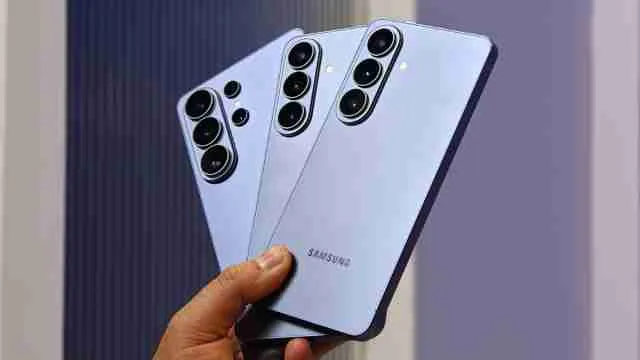
Samsung has begun the official release of the One UI 9 update for the Galaxy S26 Ultra. This software update is based on Android 17 and includes numerous enhancements in the core functions of Galaxy AI, camera, privacy, security, and various applications. The official launch began on September 16. The introduction of this update will occur in stages, and its availability will depend on the country, device model, and the carrier.
Samsung Galaxy S26 Ultra One UI 9 Update: What's New?
The Galaxy S26 Ultra benefits from several upgrades with the introduction of One UI 9. A notable feature is My FanCam, which enables users to choose someone in a recording and allows that person to be kept in focus by cropping out the rest of the video.
Samsung has also made improvements to Now Nudge, a feature that can now provide recommendations directly from conversations or through a floating button. The feature can simplify tasks such as filling in reservation details, getting addresses, or bookmarking locations on Google Maps.
Finally, Now Brief receives new editable and generative cards. Users will now have the option to choose whatever information they want in their daily summaries.
Android 17 Changes Bring New Privacy And Security Features
The Galaxy S26 Ultra's One UI 9 update also adds new security and privacy tools. Security Brief can provide information about potential security risks, including malware, unknown-source apps and unnecessary permissions.
Samsung has also added Privacy Alerts, which use on-device AI to identify possible privacy concerns related to app permissions. A new location access indicator can also show when an app is accessing location information.
The Quick Panel has received additional customisation options. Users can adjust the size and arrangement of controls, while the volume and media controls can also be customized. Bixby gets improvements, including easier access to previous conversations.
Samsung Galaxy S26 Ultra Specifications And Other Changes
The Galaxy S26 Ultra features a 17.49cm Dynamic AMOLED 2X display with a 3120 x 1440 resolution and up to a 120Hz refresh rate. It weighs 214 grams and measures 7.9mm in thickness. The phone also includes Samsung's built-in S Pen and Privacy Display technology.
For photography, the smartphone has a 200MP wide camera, 50MP ultra-wide camera, 50MP telephoto camera with 5x optical zoom and a 10MP telephoto camera with 3x optical zoom. The front camera is 12MP.
The phone packs a 5,000mAh battery and supports Samsung's fast charging technology. It is powered by the customized Snapdragon 8 Elite Gen 5 for Galaxy processor. Samsung says the device can provide up to 31 hours of video playback.
Samsung Galaxy S26 Ultra One UI 9 Update: More Features To Know
One UI 9 also brings improvements to several Samsung apps and services. Samsung Health gets a redesigned interface along with additional health and fitness tracking options. Interpreter gets a Thread View that makes it easier to follow earlier parts of a translated conversation.
Samsung has upgraded Document Scan, accessibility features, DeX, and other aspects of the Galaxy experience. The Galaxy S26 Ultra official update listing contains confirmation that the software runs on Android 17 and has the September 5, 2026 security patch in build S948USQU4BZID.
The stable One UI 9 rollout is now occurring, but people who have yet to experience it will have to wait for it to reach their area or carrier. Users can manually check for the update by accessing Settings > Software update > Download and install.
Read More: Samsung Galaxy S27 Expected Launch Date: Know Price, Features, And More About This Upcoming Smartphone
FAQs
Question 1: Will One UI 9 and Android 17 impact my S26 Ultra's battery life?
Battery usage may temporarily increase after installation while the phone optimises apps, but users can check battery activity and update apps if unusual drain continues.
Question 2: Are there any compatibility issues with existing apps after the One UI 9 update?
Most apps should continue working normally, but users should update apps through the Galaxy Store or Google Play Store and check developer notes for any known issues.
Question 3: What are the most significant security improvements in One UI 9 and Android 17?
One UI 9 adds Security Brief, Privacy Alerts, improved permission monitoring, location-access indicators and protection against potentially malicious or vulnerable apps.