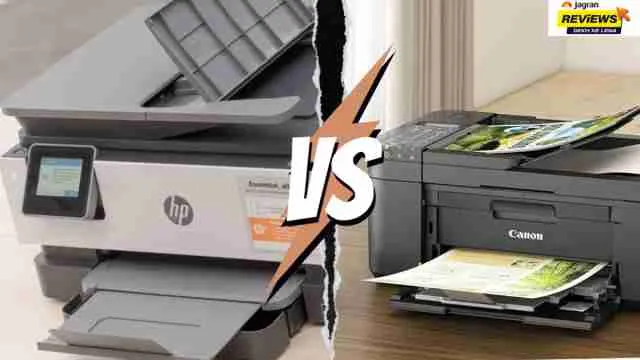
In terms of high-volume printing, one cannot go wrong choosing between HP and Canon since they are the top reliable brands in the market.
Printing workloads will be easily managed by the HP Smart Tank/LaserJet and Canon MegaTank/MAXIFY printing systems. Both of the top-volume printers from the two brands come with various features, such as extremely low cost per printed page, dual-sided printing capability, and smart wireless connectivity. Still, both brands should experience common problems like paper jams, printhead drying or clogging, and Wi-Fi disconnects after heavy usage.
Check out more recommendations at Jagran Reviews
Look At This Table Of Comparison Based On Key Features: HP vs Canon All-in-One Printers
|
Brand
|
Model
|
Printing speed
|
Item weight
|
Product dimension
|
|
HP
|
HP Smart Tank 580 (Model 1F3Y2A)
|
30 ppm (black), 24 ppm (colour)
|
5 kg 30 g
|
58.1 cm (D) × 43.5 cm (W) × 25.4 cm (H)
|
|
Canon
|
PIXMA G3780
|
11 ppm (black) / 6 ppm (colour)
|
6.5 kg
|
36.3D x 41.6W x 17.7H cm
|
|
HP
|
HP Smart Tank 529 (Model 4A8S4A)
|
30 ppm (black), 24 ppm (colour)
|
5 kg 30 g
|
58.1 cm (D) × 43.4 cm (W) × 25.9 cm (H)
|
|
Canon
|
PIXMA MegaTank G3010 (CNN_G3010_BLK)
|
8.8 ppm (black) / 5.0 ppm (colour)
|
6 kg 300 g
|
33D x 44.5W x 16.3H cm
|
|
HP
|
HP Smart Tank 589 (Model 4A8D9A)
|
30 ppm (black), 24 ppm (colour)
|
5 kg 30 g
|
58.1 cm (D) × 43.4 cm (W) × 25.9 cm (H)
|
|
Canon
|
PIXMA MegaTank G3000
|
8.8 ppm (black) / 5.0 ppm (colour)
|
6 kg
|
33D × 44.5W × 16.3H cm
|
FAQ
What does 'high-volume printing' actually mean in terms of pages per month?
High-volume printing usually means consistently producing a quantity ranging from 1,500 up to 10,000 pages per month. Printers designed for a high-duty cycle have been in particular built to take on these large-volume printing loads regularly without the printer components overheating or deteriorating fast.
Is an inkjet or laser all-in-one printer better for high-volume needs?
Laser printers are great because they can quickly and clearly print in black-and-white over a lot of document pages. In contrast, continuous-ink tank inkjets are just as good as lasers but at a much lower cost-per-page when heavy color printing and document printing are concerned.
How do I calculate the real cost per page for HP and Canon printers?
When you replace an ink/toner cartridge, divide the price by the estimated number of pages that the cartridge can yield. If necessary, you can get very accurate figures by considering other costs like paper, replacing the regular maintenance box, and the wear out of the print head or drums at intervals.
What are the common maintenance issues to look out for in high-volume HP and Canon printers?
Constant heavy usage can result in paper jams, feeding rollers getting damaged, Wi-Fi disconnect, printers getting stuck due to clogged printheads on ink tanks, or waste-ink absorbers getting full which will need servicing or replacement after lengthy usage.
Disclaimer: At Jagran Reviews, we prioritize providing up-to-date information on the latest trending commodities and goods. Links in this article are affiliate links. Please note that our product recommendations are based on independent research and analysis however, Jagran Reviews shall not be held liable for any claims, damages, or disputes arising under applicable laws, including the Consumer Protection Act, 2019. Any issues regarding product quality, delivery, or warranties must be directed to the respective manufacturer or seller. Furthermore, the products featured in this article are organized for reader convenience and are listed in no particular order of priority or ranking.