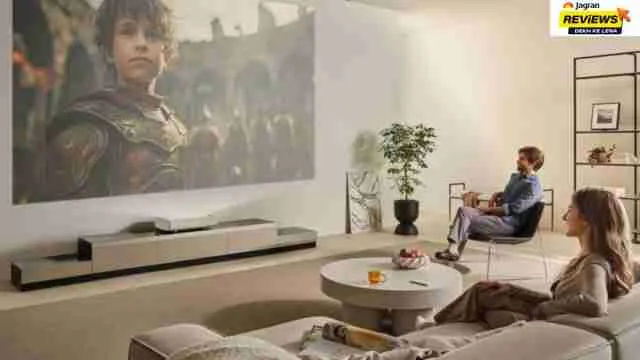
To choose the right projector screen size, you need to divide your seating distance in inches by 1.2 which is essential for an immersive cinema experience. But also make sure that you leave at least 2 feet of floor clearance from the screen. Getting your measurement right can help you to get a cinematic viewing experience with detailed and clear visuals and prevent eye strain that is caused by blurred and pixelated images. Here we will help you to understand how you can choose the right screen size for your projector by understanding viewing distances, throw ratios and room dimensions.
Check out more recommendations at Jagran Reviews
Start With Your Room Size
This is one of the first mistakes almost everyone makes while buying a projector. So when you look at the projector online, you see a massive 150-inch screen online, you just want to have that in your house as well only to realize later that your room is 11 feet wide and that screen simply won't fit on the walls properly.
So before you get fascinated by the screen size, it is important to measure your room properly from almost every side.
- Wall-to-wall width
- Distance from the screen wall to where the seating will be
- Ceiling height
I'd say the single biggest tip here is to double check the measure by doing it twice before buying. A screen looks small on a product page and massive on your actual wall. So if your room is under 12 feet wide,don't go above the 100 to 120 inches screen as it is going to feel unbalanced rather than cinematic.
Calculate the Correct Viewing Distance Ratio
So now, as you have measured your room dimensions, the next step is figuring out how far you'll actually be sitting from the screen because that number decides everything.
A rule I personally follow is
- For a relaxed living room cinema feel: Viewing distance should be about 1.5x to 2x the screen's diagonal size
- For a more immersive feel like you are sitting in the first row of the theater: Viewing distance can go as low as 1x to 1.5x the diagonal
So let’s say that you are sitting 10 feet or 120 inches away from the screen. A 100-inch screen at a 1.2x ratio gives you that "immersive feeling," while a 65–80 inch screen at a 1.5–2x ratio feels more like a cozy family room setup. So your scree size totally depends on how you want to engage with the visuals.
Match Aspect Ratio Accurately
This is one of the factors that many people skipped constantly while calculating the right projector size and it genuinely changes how cinematic your setup feels. So here are the aspect ratios that you should consider.
- 16:9 is the standard for most streaming content, YouTube and TV shows
- 2.35:1 or 2.39:1 is the ratio in which actual movies are usually shot in and it's the ratio that gives you that true widescreen like the theater
- 4:3 is mostly outdated now but older projectors still use it
You want cinema-quality visuals and you mostly watch movies rather than sports or YouTube? A 2.35:1 fixed-frame screen paired with a projector will get you almost an actual theater experience compared to a standard 16:9 setup. We agree that it's more of an investment but it's the detail that separates big TV from actual home theater.
To explore more, visit our miscellaneous category.
Don't Ignore Ambient Light and Screen Material
Screen size gets all the attention but no one should ignore that screen material quietly does half the work of making an image look cinema quality. A few things I wish someone had told me earlier about this are
- Matte white screens work best in fully dark and dedicated home theater rooms
- Grey or ALR screens like the Elite Screens Aeon CLR are worth it if your room has windows or you can't fully control lighting
- Higher gain screens boost brightness but can make you compromise with the viewing angle so these screens are better for narrow rooms with centered seating
Don’t have a pitch-black room like a theater, I'd genuinely recommend spending a bit more on an ALR screen over a bigger plain white one.
Projector Throw Distance vs Screen Size: An Important Factor To Check
Now here comes the part where most of the people makes mistake as they think every projector has to physically be able to fill the screen size you picked, from wherever it's mounted.
Every projector has a throw ratio (distance ÷ screen width) and this majorly decides what screen size it will produce at a given distance. So make sure to check few things before finalizing your screen size:
- Your projector's throw ratio which is given in the spec sheet.
- Whether it has zoom and lens shift so that you can have the flexibility to mount the position wherever you want
- Choose between the Short-throw vs long-throw designs since short-throw projectors can sit right below the screen and still fill 100+ inches
My tip here: Always calculate this before buying the screen. I've seen people buy a 120 inch screen only to realize their projector is mounted at the ceiling point and can only fill 90 inches without stretching or losing sharpness. So it is important to cross check it against your actual room measurements before you commit to a screen size.
Disclaimer: At Jagran Reviews, we prioritize providing up-to-date information on the latest trending commodities and goods. Links in this article are affiliate links. Please note that our product recommendations are based on independent research and analysis however, Jagran Reviews shall not be held liable for any claims, damages, or disputes arising under applicable laws, including the Consumer Protection Act, 2019. Any issues regarding product quality, delivery, or warranties must be directed to the respective manufacturer or seller. Furthermore, the products featured in this article are organized for reader convenience and are listed in no particular order of priority or ranking.