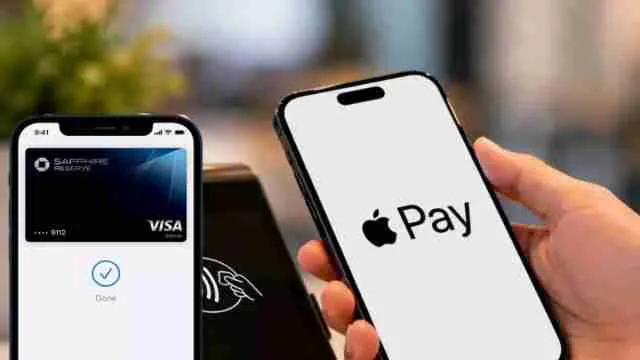
Apple Pay has been launched in India, allowing iPhone, iPad, and Apple Watch users in the country to pay using Apple’s card payment service. The service debuted on September 30, allowing capable Axis Bank credit card customers to make payments at various endorsed merchants, services, and online platforms. At the time of its inception, Apple Pay was configured to work only with Visa and Mastercard credit cards issued by Axis Bank. This is contrary to some of the other systems, as Apple Pay will not be available for UPI bank accounts, which means users can’t incorporate their UPI accounts into Apple Pay.
Apple Pay India Launch: Supported Cards And Devices
Apple Pay is currently available in India with limited bank support. At launch, users can add eligible Axis Bank-issued Visa and Mastercard credit cards to Apple Wallet. Apple’s official list currently names only Axis Bank, with the company saying more banks may be added later.
For devices, Apple Pay is available on:
- iPhone XR and later models running iOS 18 or later
- Apple Watch Series 6 and later with watchOS 11 or later
- iPad models that support Apple Pay
- Mac support is coming soon
The Apple Watch needs to be paired with an iPhone XR or later.
Does Apple Pay Support UPI In India?
No, Apple Pay does not support UPI at launch. The service is currently designed around eligible credit cards, rather than direct UPI bank-account payments.
This means users cannot add their UPI ID or bank account to Apple Pay and make a UPI payment through it. Apple Pay also does not replace apps such as Google Pay, PhonePe or Paytm for UPI transactions.
For Apple users with a supported Axis Bank credit card, the service instead provides a way to use that card through an iPhone, Apple Watch or iPad.
How To Set Up And Use Apple Pay In India
Setting up Apple Pay is fairly simple. Users can add an eligible Axis Bank card directly through the latest Axis Bank app or through the Apple Wallet app.
To add a card through Apple Wallet:
- Open the Wallet app on the iPhone.
- Tap the + button.
- Select the option to add a card.
- Follow the instructions shown on the screen.
- Complete the required card verification.
Once the card is added and verified, users can start making payments.
For payments at a store, users can double-click the side button on an iPhone with Face ID, authenticate using Face ID, Touch ID or the device passcode when asked, and hold the top of the iPhone near a contactless payment machine.
Apple Watch users can also use the device at supported contactless terminals.
Apple Pay can also be used for payments inside supported apps and on websites. Users can select the Apple Pay option during checkout and confirm the payment using their device.
Where Can Apple Pay Be Used And Is It Safe?
Apple says Apple Pay is available at millions of merchants across India at launch. Some of the named merchants include Apple Store, Blinkit, Chaayos, Croma, Ixigo, Tata 1mg, Zomato, Reliance brands, Interflora, Le15 Patisserie and Comet. The service can also work at other locations where compatible contactless payments are accepted.
Apple Pay also adds a layer of security by not sharing the actual card number with merchants. Instead, a unique Device Account Number is created and stored securely on the device. Apple says the actual card number is not stored on its servers.
Other points to know include:
- Payments are authorised using Face ID, Touch ID or the device passcode.
- Users do not need to enter a PIN or OTP at checkout for Apple Pay transactions.
- Existing card rewards and benefits continue when using an eligible card.
- If an iPhone is lost, users can use Find My to lock the device or suspend Apple Pay.
With Apple Pay now live in India, the service gives eligible Axis Bank credit card users another way to make contactless and online payments without carrying the physical card. Apple is expected to add more banks and cards to the service over time.
Read More: Redmi 17C 5G India Launch Today: Check Amazon Availability, 6000mAh Battery, 50MP Camera And Key Features
FAQs
Question 1: Which Indian banks currently support Apple Pay?
At launch, Apple Pay supports eligible Axis Bank Visa and Mastercard credit cards, while Apple says more banks may be added later.
Question 2: Can I use Apple Pay with my debit card and credit card in India?
Currently, Apple Pay in India supports eligible Axis Bank Visa and Mastercard credit cards, while debit and RuPay cards are not supported at launch.
Question 3: Do all iPhone models support Apple Pay in India?
No, Apple Pay requires iPhone XR or later running iOS 18 or newer.