jagran reviews

Top 5 Ergonomic Monitors for Reducing Eye Strain and Improving Posture

So, we know that looking at screens all day can cause real problems, such as back pain and eye issues. Here, the right monitor can help you in fixing these issues. From Dell to LG and Samsung, we will break down the features of each model that protect your...

By : Mridula Singh

Last Updated on : May 12, 2026 13:30 IST

Published on : May 12, 2026 13:28 IST

Top 5 Ergonomic Monitors for Reducing Eye Strain and Improving Posture
top_ergonomic_monitors

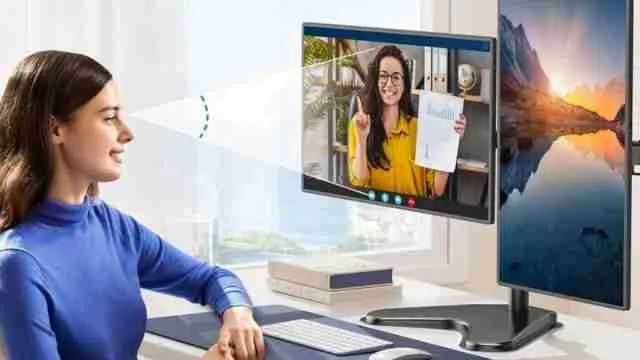
Eye strain and back pain from sitting at a desk all day are more common than people think. Most of the time, the problem is not how long you sit but what you are sitting in front of. A poorly positioned or low-quality screen forces your neck forward and your eyes to work harder than they should. However, many brands in the market, like Dell, LG, Samsung, BenQ and HP have made monitors with adjustable stands and flicker-free screens that can easily address both problems directly. Check out the top 5 ergonomic monitors on Amazon that are worth it and helpful for long hours at the desk.

How to Choose the Right Monitor? 

Most people pick a monitor based on screen size and price. But if you spend four or more hours a day at a desk, the wrong pc model can make body issues worse. Here is what actually matters when you are buying it for comfort.

  • The first thing is to look for the right screen height and adjustment quality. A fixed-height monitor is one of the biggest causes of neck and shoulder pain at a desk. The right option comes with stands that let you raise, lower, tilt and swivel the screen to match your sitting position.
  • Second will be the blue light filters that can help in reducing eye pain. Monitors should have a built-in low blue light mode called 'Eye-Care' that does not wash out your colours the way most filter apps do. 
  • Lastly, you must opt for flicker-free panels for eye comfort. This technology helps in eliminating the strain issue by keeping the backlight steady.

To explore more, visit our monitor category. 

01

Dell S2725HSM 27"/68.58cm FHD Monitor, 144Hz Refresh Rate, IPS Panel, 1ms Response, Flicker-free, Contrast 1500:1, 2xHDMI, Built-in 6W Dual Speakers, Warranty 3 Years, TÜV Rheinland 4-Star Eye Comfort

4.4
13769

45% off

M.R.P: 24999

Buy Now

This Dell is a 27-inch computer monitor that takes ergonomics seriously at both the hardware and software levels. The standalone is reason enough to consider it. It can support a tilt from up to 21 degrees along with height adjustment of up to 110 mm. That range of movement means you can set this monitor for pc to match your exact seated position rather than adjusting your body around the screen. The IPS panel runs at 144 Hz with a 1 ms MPRT response time and 1500 by 1 contrast ratio. It carries a TUV Rheinland 4-star eye comfort rating which is the highest available in that certification system. Also, the flicker-free backlight and blue light reduction work alongside AMD FreeSync to make extended use genuinely comfortable. The 99 per cent sRGB colour gamut keeps on-screen content accurate for work that involves colour sensitivity.

Specifications:

  • ASINB0FQ5BKD63
  • BrandDell
  • ColourAsh White
  • Country Of OriginChina
  • Dimensions20.2 x 61.0 x 49.9 cm
  • ManufacturerDell International Services India Pvt. Ltd
  • ModelS2725HSM
  • Screen Size27 Inches (68.58 cm)
  • Warranty 3 Years Manufacturer Warranty

Reasons to buy:

It has a full ergonomic stand with height, tilt, swivel and pivot.

Dual 6W speakers with sound profile.

Reason to avoid:

The resolution can stay at FHD 1080p.

02

ASUS Proart Display PA278QV WQHD, 27 Inch (68.58 Cm) 2560 X 1440 Pixels Monitor, 100% Srgb/Rec. 709, E < 2, IPS, Displayport Hdmi Dvi-D Mini Dp, Calman Verified, Eye Care, Anti-Glare (Black)

4.5
29299

15% off

M.R.P: 34500

Buy Now

For anyone who works with visuals professionally, like a photo editor or a graphic designer, screen colour accuracy matters as much as comfort. This ASUS monitor is built around both. The WQHD 2560 by 1440 IPS panel gives you sharper text and image detail compared to a standard FHD pc monitor at the same screen size. What sets this computer monitor apart is the Calman Verified factory calibration with Delta E below 2. In simple terms, this means the colours you see on screen are extremely close to what they are actually supposed to look like. The ergonomic stand covers tilt, swivel, pivot and full height adjustment, which makes it one of the more posture-friendly monitors for pc in this segment. Also, ASUS ultra-low blue light technology offers four filter settings accessible directly from the on-screen menu without any software. 

Check out more recommendations at Jagran Reviews.  

Specifications:

  • ASINB088BC5HMM
  • BrandASUS
  • Colour Black
  • Country Of Origin China
  • Dimensions61 x 5 x 37 cm
  • ManufacturerASUS Global Pte. Ltd., Singapore
  • ModelPA278QV
  • Screen Size27 Inches (68.58 cm)
  • Warranty3 Years Manufacturer Warranty

Reasons to buy:

Full ergonomic stand with height, tilt, swivel and pivot adjustment.

Four USB 3.0 ports built into the monitor reduce desk cable clutter significantly.

Reason to avoid:

The refresh rate could have been higher.

03

BenQ GW2786TC 27" IPS 100Hz Full HD Coding Monitor |USB-C(65W PD)| Daisy Chain| 99% sRGB| Coding Mode| Height Adjust|HDMI| DP| USB Hub| 2Wx2 Speakers| Eye Care| Noise Cancelling Microphone (White)

4.3
17990

28% off

M.R.P: 24990

Buy Now

If you spend most of your screen time writing code, drafting documents or working through data, the BenQ was put together with exactly that kind of work in mind. It has a dedicated coding mode that adjusts the display's colour temperature and contrast specifically to make text on dark backgrounds easier to read for extended periods. The IPS panel runs at 100 Hz with a 1300 by 1 contrast ratio and 99 per cent sRGB coverage. Text stays sharp and readable across the full screen without colour shift at angles, which is a known advantage of IPS technology over VA panels for desk use. Also, it has brightness intelligence that automatically reads the ambient light in the room and adjusts the screen brightness in real time, so your eyes are not overworked when the lighting around you changes.

Specifications:

  • ASINB0D9K2TD2B
  • BrandBenQ
  • ColourWhite
  • Country Of OriginChina
  • Dimensions23.5 x 61.2 x 53.5 cm
  • ManufacturerBenQ Corporation, Taipei, Taiwan
  • ModelGW2786TC
  • Screen Size27 Inches (68.58 cm)
  • Warranty3 Years Manufacturer Warranty

Reasons to buy:

USB-C with 65W power delivery and daisy chain support.

Built-in noise-cancelling microphone.

Reason to avoid:

It may not be right for users who connect through HDMI or DisplayPort.

04

Samsung 27" (68.5cm) 100Hz Curved Monitor|1800R Curved Screen|100Hz|4ms|SRGB 95%|Ports-HDMI,D-Sub,Headphone|Game Mode|EyeSaver Mode|16.7M Color Support|Flicker Free|Off Timer Plus|LS27D368GAWXXL|Black

4.3
10799

38% off

M.R.P: 17400

Buy Now

Sitting in front of a screen for six to eight hours a day puts a lot of pressure on your eyes. The Samsung 27-inch curved monitor, with its curve is designed to reduce that pressure by wrapping the display closer. The VA panel runs at 100 Hz with a 4 ms response time which keeps motion smooth whether you are working on spreadsheets or watching content during a break. This computer monitor also carries TUV certification for eye comfort, which means it has been independently tested, not just claimed by the brand. Also, the 95 per cent sRGB coverage gives colours enough accuracy for general office and creative work. HDMI and D-Sub ports keep connectivity simple for most desktop setups. At this monitor price, it covers the basics of ergonomic eye care well.

Specifications:

  • ASINB0FN8745CD
  • BrandSamsung
  • ColourBlack
  • Country Of OriginThailand
  • Dimensions 23.4 x 62.3 x 46.6 cm
  • ManufacturerTPV Technology (Thailand) Co. Ltd
  • ModelLS27D368GAWXXL
  • Screen Size27 Inches (68.5 cm)
  • Warranty3 Years Manufacturer Warranty

Reasons to buy:

Eye Saver Mode and a flicker-free panel work together.

Comes with a 3-year manufacturer's warranty.

Reason to avoid:

The stand could have offered height adjustment.

05

Lenovo L24-4C| 24 Inch (60.96cm) Ultraslim PC Monitor, IPS, FHD 1920x1080, 144Hz, 99% sRGB, 1ms, 2x3W Speakers, HDMI, Display Port, Audio Out Port, AMD FreeSync,Eyesafe, Bezel-Less, VESA Mount, Grey

4.3
8779

22% off

M.R.P: 11190

Buy Now

The Lenovo is a 24-inch IPS pc monitor built around the idea that you should not have to choose between sharpness and eye comfort. The IPS panel delivers wide viewing angles of 178 degrees in both directions which means colours and contrast stay consistent even when you shift slightly in your chair. At 144Hz with a 1ms response time, this monitor for pc handles smooth scrolling and fast-moving content without any issue. The built-in hardware-level low blue light filter is worthy because it works differently from software filters. Also, the flicker-free tech and Eyesafe certification back this up further. Whereas the dual 3W speakers are a practical add-on for those who do not want external speakers to occupy their desk. At 14.7 W power consumption, it is one of the more energy-efficient pc monitors in this size range. Also, AMD FreeSync keeps the experience smooth across refresh rates.

Specifications:

  • ASINB0FX9KJWH2
  • BrandLenovo
  • ColourCloud Grey
  • Country Of OriginChina
  • Dimensions18.2 x 53.9 x 43.3 cm
  • ManufacturerWeihai Daewoo Electronics Co. Ltd
  • Model L24-4C
  • Screen Size24 Inches (60.96 cm)
  • Warranty3 Years Manufacturer Warranty

Reasons to buy:

It has a 144Hz refresh rate.

The energy efficiency is at 14.7W.

Reason to avoid:

The stand may not offer full height

Important Features of Top Ergonomic Monitors on Amazon 

Long working hours can cause serious issues with your back and eyes, so you must opt for the right monitor that can help in reducing those factors. Here you will get to know about all the important features of the abovementioned models that are worth buying. You can check each feature and choose the right one for you. 

Brand & Model

Screen Size / Panel Type

Refresh Rate

Best For

Samsung LS27D368

27" Curved VA

100Hz

Casual use & basic office work.

Lenovo L24-4C

24" Flat IPS

144Hz

Small desks & energy efficiency.

Dell S2725HSM

27" Flat IPS

144Hz

Maximum posture adjustment.

ASUS ProArt PA278QV

27" WQHD IPS

75Hz

Graphic design & photo editing.

BenQ GW2786TC

27" Flat IPS

100Hz

Programming & data-heavy tasks.

Top Monitor for Improving Postures and Strain Issues:

Here, picking up the right monitor is not just about screen size and build quality. It is about how your body feels after hours of use. Many renowned brands like Dell, ASUS, BenQ, Samsung and HP have figured out what actually reduces eye strain and keeps your posture in check. If you are serious about working comfortably for long hours, any one of these five monitors is a step in the right direction.

Read more:

Disclaimer: At Jagran Reviews, we prioritize providing up-to-date information on the latest trending commodities and goods. Links in this article are affiliate links. Please note that our product recommendations are based on independent research and analysis however, Jagran Reviews shall not be held liable for any claims, damages, or disputes arising under applicable laws, including the Consumer Protection Act, 2019. Any issues regarding product quality, delivery, or warranties must be directed to the respective manufacturer or seller. Furthermore, the products featured in this article are organized for reader convenience and are listed in no particular order of priority or ranking.

FAQ's

  • Which monitor is best for reducing eye strain during long work hours?
    BenQ GW2780 and Samsung S27R650 are both strong picks. They use flicker-free panels and built-in blue light filters that make a real difference during long sessions.
  • Does monitor height adjustment really help with posture?
    Yes, because a monitor you can raise or lower to eye level stops you from tilting your neck and keeps your shoulders relaxed throughout the day.
  • Is a higher monitor price always better for eye comfort?
    Not always, as mid-range monitors from HP and BenQ offer solid eye care features without pushing the computer monitor price into premium territory.

RecommendedView More

Quick Links

jagran reviews

Jagran Reviews brings you expert-led product reviews, in-depth comparisons, smart buying guides, and curated deals across top categories. Make confident purchase decisions with trusted insights, latest trends, and value-driven recommendations — all in one place.

For any feedback or complaint email to compliant_gro@jagrannewmedia.com

FacebookInstagram

Connect & Share

Expert-curated deals you can trust, refreshed regularly - Check Deals

© 2026 Jagran New Media. All Rights Reserved.