In the constantly evolving UI/UX design world, having the perfect laptop model to bring creative ideas to life in a functional and attractive way is a must. A high end laptop is the cornerstone of a designer's toolkit, providing flawless multitasking, precise color reproduction, and quick rendering performance that are the key requirements when working with resource heavy applications like Figma, Sketch, Adobe XD, and the Creative Suite. Check out this list of the top laptops for a UI/UX design that truly caters to the specific requirements of present day UI/UX. Apart from checking the machines from the market giants such as Apple and ASUS, we also evaluated those that meet the crucial points of a high resolution, color accurate display, powerful CPU, sufficient RAM for handling complex projects, and a good dedicated GPU. Having one of these devices is a step towards lessening bottlenecks, streamlining your work processes, and being able to concentrate wholly on inventing extraordinary user experiences.
More Similar Articles:
Top i5 Laptops for Students & Working Professionals
Dominate Your Virtual Arena With The 5 Top Models Of HP Victus Gaming Laptops
What Makes A Laptop Suitable For UI/UX Designing?
The ideal laptop for UI/UX designing must prioritize performance and visual fidelity. High-resolution, color-accurate displays are crucial for precise visual work, ensuring designs look consistent across devices. Along with this, a powerful multi-core processor (Intel Core i7/i9 or AMD Ryzen 7/9, or Apple M-series) coupled with a minimum of 16GB of RAM is essential for seamless multitasking between design software (Figma, Sketch) and resource-intensive tools (Adobe Photoshop/Illustrator). While not strictly mandatory, a dedicated GPU accelerates rendering and complex animations. Finally, fast SSD storage significantly reduces loading times, enabling a snappy and productive workflow.
Top Laptops For UI/UX Designing: Feature Comparison
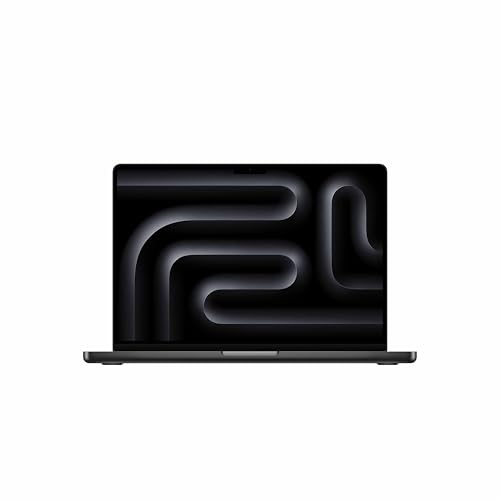
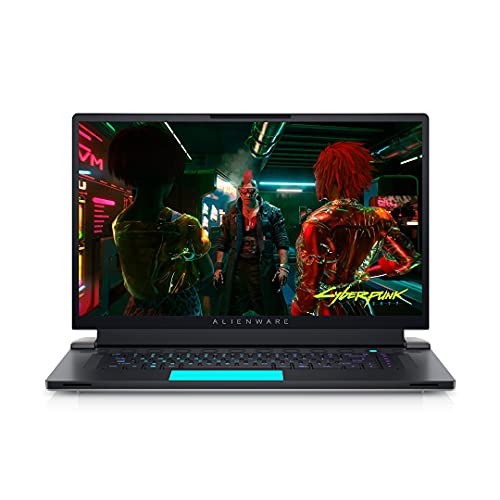
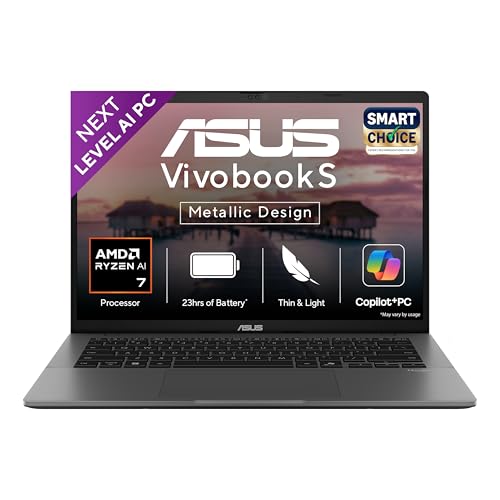
Selecting the UI/UX design laptop depends heavily on balancing power, portability, and display quality. The following comparison table provides a concise overview of the listed models, focusing on the critical specifications like Processor, Graphics, Memory/Storage, and Display which will help you quickly identify the model that aligns perfectly with your professional workflow and creative needs.
|
Laptop Model
|
Processor
|
Graphics
|
Memory & Storage
|
Display
|
|
Apple MacBook Pro 14
|
Apple M5 (10-Core CPU)
|
10-Core Apple GPU
|
16GB RAM / 512GB SSD
|
14.2" Liquid Retina XDR
|
|
Acer Nitro V 15
|
Intel Core i7-13620H
|
NVIDIA RTX 5050 (8GB)
|
16GB DDR5 / 512GB SSD
|
15.6" FHD IPS (165Hz)
|
|
Apple MacBook Air 13
|
Apple M4 (10-Core CPU)
|
10-Core Apple GPU
|
24GB RAM / 512GB SSD
|
13.6" Liquid Retina
|
|
Dell Alienware X17 R1
|
Intel Core i9-11980HK
|
NVIDIA RTX 3080 (16GB)
|
32GB RAM / 1TB SSD
|
17.3" FHD (360Hz)
|
|
ASUS Vivobook S14
|
AMD Ryzen AI 7 350
|
AMD Radeon Graphics
|
16GB RAM / 1TB SSD
|
14" 2.8K OLED
|
For More Such Articles, Refer To Jagran Reviews
Disclaimer: At Jagran Reviews, we prioritize providing up-to-date information on the latest trending commodities and goods. Links in this article are affiliate links. Please note that our product recommendations are based on independent research and analysis however, Jagran Reviews shall not be held liable for any claims, damages, or disputes arising under applicable laws, including the Consumer Protection Act, 2019. Any issues regarding product quality, delivery, or warranties must be directed to the respective manufacturer or seller. Furthermore, the products featured in this article are organized for reader convenience and are listed in no particular order of priority or ranking.